
Almost every part of a low voltage installation is invisible by the time a building is handed over. Cable is buried in walls, racks live in a closet, containment sits above a ceiling. The ELV box is the exception. It is the one piece of infrastructure that ends up on a finished wall, in a hallway or an entrance or a bedroom, on a surface an interior designer has spent months resolving.
That makes it the only item on the job where the electrical specification and the finish schedule have to agree, and it is usually the last item either party thinks about. This guide sets out what the two disciplines need to settle, and when, using the published dimensions of the Heizka ELV box range as the worked example.
1. Two Specifications, One Object
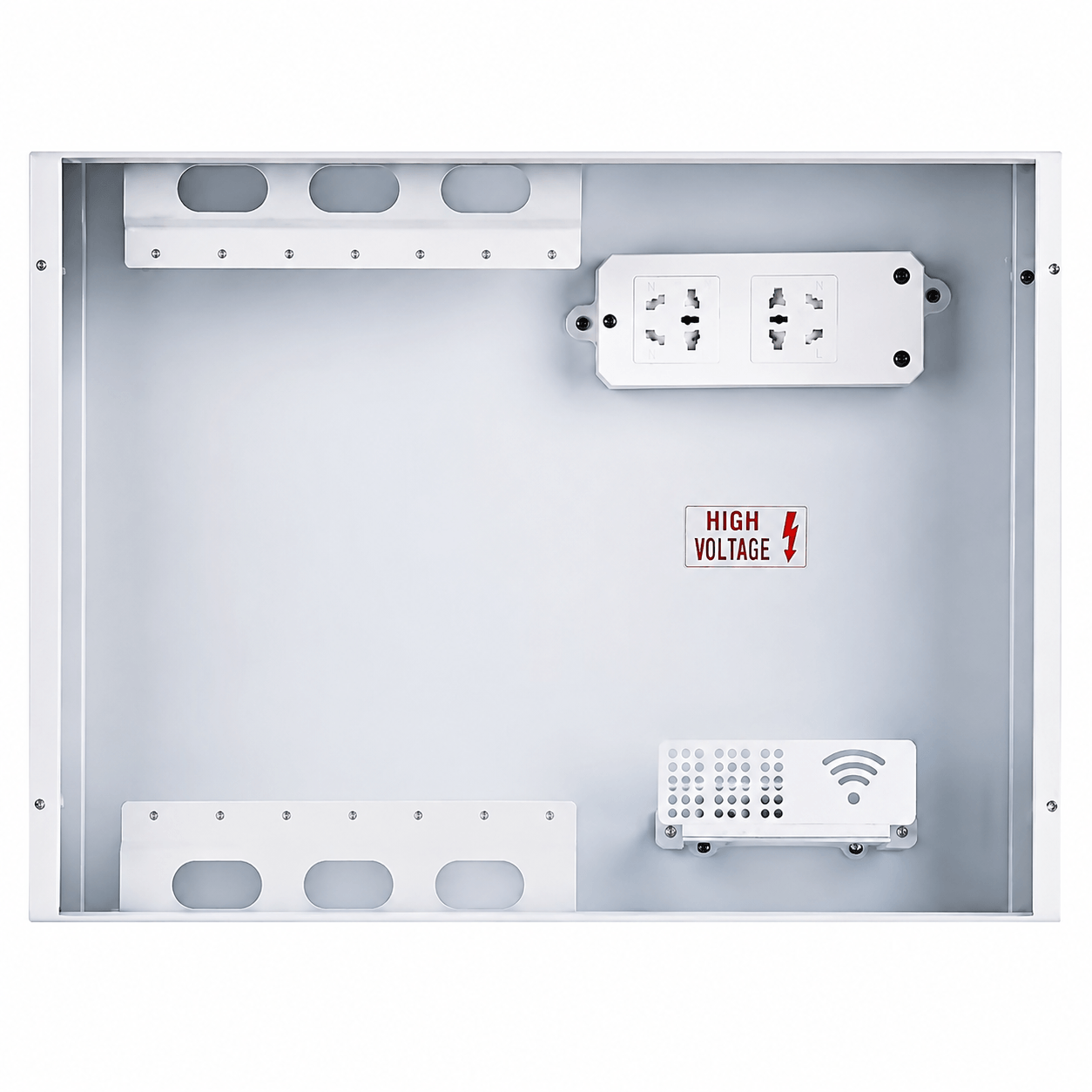
An ELV box, sometimes called a multimedia information box or a fiber optic home box, is a recessed enclosure that gathers the incoming service and distributes it around a dwelling or a suite. It typically holds the fiber termination, the operator ONT, a small router or access point, a data switch, and the power supply that feeds them.
Each discipline arrives at it with a different list.
| The ELV engineer is solving for | The interior designer is solving for |
|---|---|
| Internal depth against the deepest item inside | How far the frame stands off the finished wall |
| Fiber slack and minimum bend radius | Where the box sits relative to the furniture line |
| Heat dissipation from powered equipment | Whether the panel reads as a feature or a fault |
| Cable entry position and conduit count | Alignment with switch plates, tile joints and door heads |
| Service access for the operator technician | Not putting a hinged panel behind a wardrobe |
| Certification and listing for the market | Finish, reflectance and how the panel ages |
Neither list is wrong. The problem is that they are usually written at different stages of the project, and the box is ordered against whichever list arrived first.
2. What Actually Goes Inside
Before any dimension can be checked, the contents have to be listed. A realistic residential box holds most of the following:
- Fiber termination and slack. A splice tray or adaptor, plus enough spare fiber to re-terminate once.
- The operator ONT. Supplied by the service provider, rarely known at design stage, and frequently changed during the life of the building.
- A router or access point. Either a separate unit inside the box or a panel-mounted device elsewhere on the wall.
- A data switch or distribution module feeding the outlets around the dwelling.
- Power. A socket and one or more adapters. This is almost always the deepest object in the box.
- Telephone and television distribution where the project still requires them.
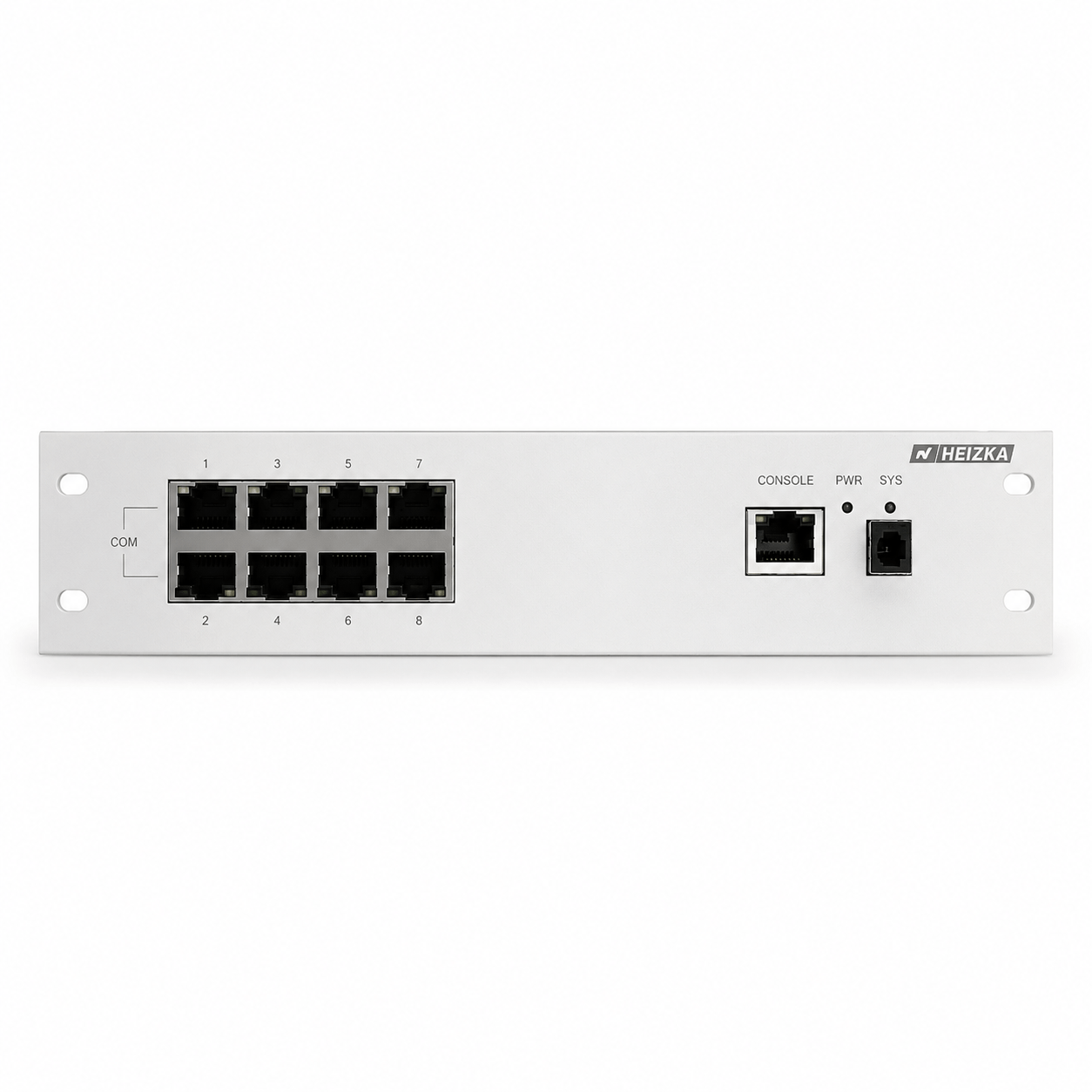
The Heizka HEBX module range covers most of these as rack-style plates that mount inside the box in U increments: routing modules with four or eight LAN ports, telephone distribution at one-in-four and one-in-seven, cable television splitters at one-in-four and one-in-six, a 12 V/24 V 1 A switching power module, 1U and 2U blank plates, a fan ventilation module and an insertion mounting module.
3. The Depth Budget
Depth is where most ELV boxes fail, and it fails silently: the box is set into the wall at first fix and nobody discovers the problem until the equipment arrives months later.
The Heizka fiber optic home boxes publish a bottom box of 300 × 250 × 120 mm. That 120 mm is the working figure, and it is consumed faster than most specifications assume:
- The module plate and mounting hardware take the first slice.
- The deepest single device sets the floor, not the average device. A flat ONT and a plug-in power adapter can differ by a factor of two.
- The power adapter is usually the culprit. A conventional plug-top supply projecting from an internal socket can consume more depth than the ONT it powers.
- Cable entry needs room to turn. Conduit arriving at the back or side of the box requires a bend before the cable can lie flat.
- The cover has to close over whatever is highest, without pressing on a connector.
Then check the wall itself. A 120 mm box body needs a wall build-up that can accept it. In a masonry wall this is usually a chasing question; in a partition it is a stud depth question, and a 120 mm box will not sit inside a standard 75 mm or 92 mm stud without a thickened wall or a service void. That decision belongs to the architect and has to be made before the partitions are set out, not after.
A useful property of the Heizka range
Both the HEBX1 and HEBX2 fiber optic home box series publish the same 300 × 250 × 120 mm bottom box, and differ only in the visible frame — 325 × 275 mm on the HEBX1 series against 330 × 280 mm on the HEBX2 series. In practice that means the wall opening can be set at first fix while the visible face is still being decided, which is exactly the sequence most interior packages actually follow.
4. Fiber Slack and Bend Radius
Fiber inside a home box is short, tightly coiled and handled by whoever services the property next. Two rules keep it working.
The cable bend radius governs, not the fiber bend radius. Modern bend-insensitive fiber tolerates very tight bends, but the drop cable around it does not. The published minimum bend radius of the cable is the number to design to.
| Fiber type | Minimum bend radius | Practical note |
|---|---|---|
| G.652.D | 30 mm | Standard singlemode. A 60 mm loop diameter is a real constraint in a 250 mm-wide box. |
| G.657.A1 | 10 mm | Bend-tolerant, widely used for in-building drops. |
| G.657.A2 | 7.5 mm | Coils comfortably inside a home box. |
| G.657.B3 | 5 mm | Tightest class, specified where routing is severe. |
Heizka pigtails and patch cords are published with G657A among the available fiber grades, which is the reason a home box can hold a service loop at all. Confirm the grade actually supplied against the current datasheet.
Leave slack, and leave it where it can be worked. Enough spare fiber for one re-termination is the usual rule. Coiled slack must sit against the back of the box or in a dedicated tray, not draped over the equipment where the next technician will crush it closing the cover.
5. Heat, and the Failure Nobody Designs For
A flush ELV box is a sealed steel enclosure inside an insulated wall, with a plastic cover and no convection path. Inside it sit two or three devices that dissipate heat continuously, twenty-four hours a day, for the life of the building. Consumer equipment is rarely specified for that environment, and the symptom is not a dead unit — it is a router that reboots at 3 a.m. and a resident who blames the internet provider.
Design against it explicitly:
- Sum the nameplate power of every powered item that will live in the box. Do it from the actual equipment list, not from an assumed one.
- Specify ventilation where the load justifies it. The Heizka range includes the HEBX-FS1 fan ventilation module for exactly this case.
- Use blank plates deliberately. The 1U and 2U blanks tidy the face, but they also decide where air can and cannot move.
- Avoid the worst locations. A box in an unventilated riser, behind a wardrobe, above a hob, or on a wall with underfloor heating rising through it starts hot before anything is switched on.
- Give the operator a way in. An enclosure that has to be unscrewed from behind a fitted unit will eventually be left open.
6. Position: The Decision That Cannot Be Undone
Depth can sometimes be solved late. Position cannot. Once the box is set and plastered, moving it is a wet trade, a decoration trade and a re-pull of every cable that entered it.
Five constraints compete for the same wall, and they should be resolved together rather than in sequence:
| Constraint | Owned by | What it wants |
|---|---|---|
| Service entry | ELV engineer | Short, direct route from the riser or the operator entry point. |
| Wireless coverage | ELV engineer | Central position, away from metal, mirrors and wet walls. |
| Furniture line | Interior designer | A wall that will not be covered by joinery, and clearance for the cover to swing. |
| Sightline | Interior designer | Not on the wall you see from the entrance, and aligned with something. |
| Access | Both, plus facilities | Reachable without moving furniture, at a workable height. |
The alignment point deserves emphasis, because it is the cheapest thing on this list and the most frequently missed. A box whose frame lines up with a door head, a tile joint, a switch plate row or a shadow gap reads as intentional. The same box thirty millimeters off any of them reads as a mistake, and no finish quality recovers it.
7. The Panel: Where the Specification Meets the Finish Schedule
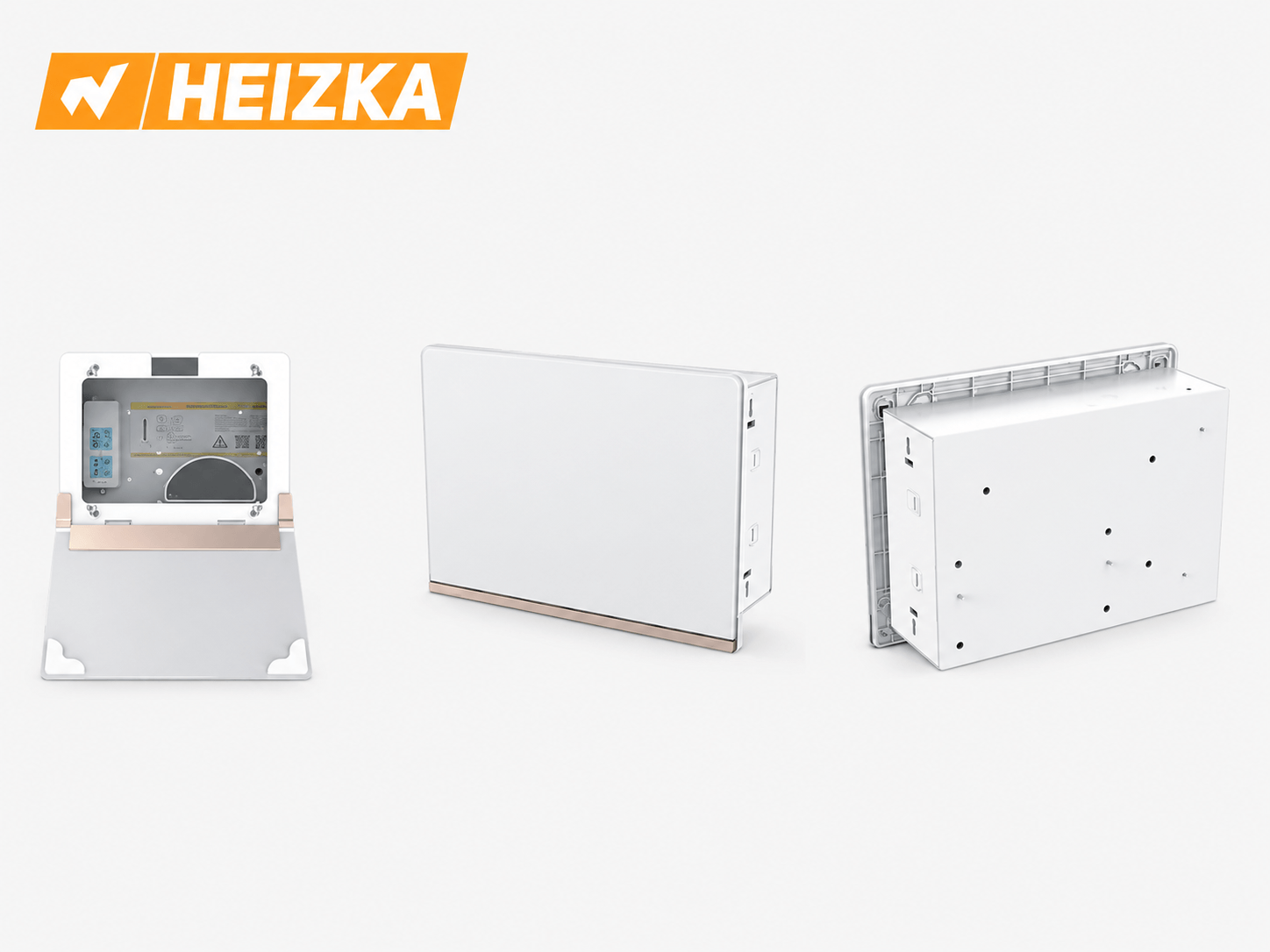
For the wall panel enclosures that hold ELV switches, sockets and control panels, Heizka publishes two families with a shared construction and different geometry.
| Series | Models | Panel options | Character |
|---|---|---|---|
| Platinum Crystal | HEBSR14W, HEBSR14B, HEBSR14G | Crystal white, crystal black, transparent tempered glass with black frame | Rectangular, sharp-edged. Reads as a deliberate object on the wall. |
| Round Series | HEBSR16SW, HEBSR16SB, HEBSR16BG, HEBSR16WG | Slate in white or black, tempered glass with black or white frame | Softened corners. Sits more quietly against a plastered wall. |
Both are built from a 1.0 mm cold-rolled steel body with a CNC-finished, anodized aluminum extruded frame, a flame-retardant injection-molded bottom frame and an aviation-grade aluminum hinge. Glass panels are toughened, CNC cut, polished and double screen printed. Both series are published as RoHS compliant.
Four Questions to Settle Before Choosing a Finish
- How does the panel meet the wall? A frame that sits proud of the plaster line, a shadow gap and a true flush finish are three different wall details, and they have to be drawn before first fix.
- Glass or slate? Glass is uniform and easy to clean but shows fingerprints and reflects whatever is opposite it. Slate absorbs light and hides marks but has to be coordinated with the other matte surfaces in the room.
- Black or white? Decide against the wall behind it and the switch plates beside it, not in isolation. A black panel on a pale wall is a deliberate accent; a black panel among white switch plates is an oversight.
- How does it come off for service? A hinged panel needs swing clearance. A lift-off panel needs somewhere to be put down. Both need to survive being removed several times a year without marking the wall.
One practical sequencing note: the panel is a finish and should be installed after the wet trades and after painting, with the box body protected in the meantime. Panels fitted at first fix get plaster on the hinge and paint on the frame.
8. Wireless: The Box Location Decides the Coverage
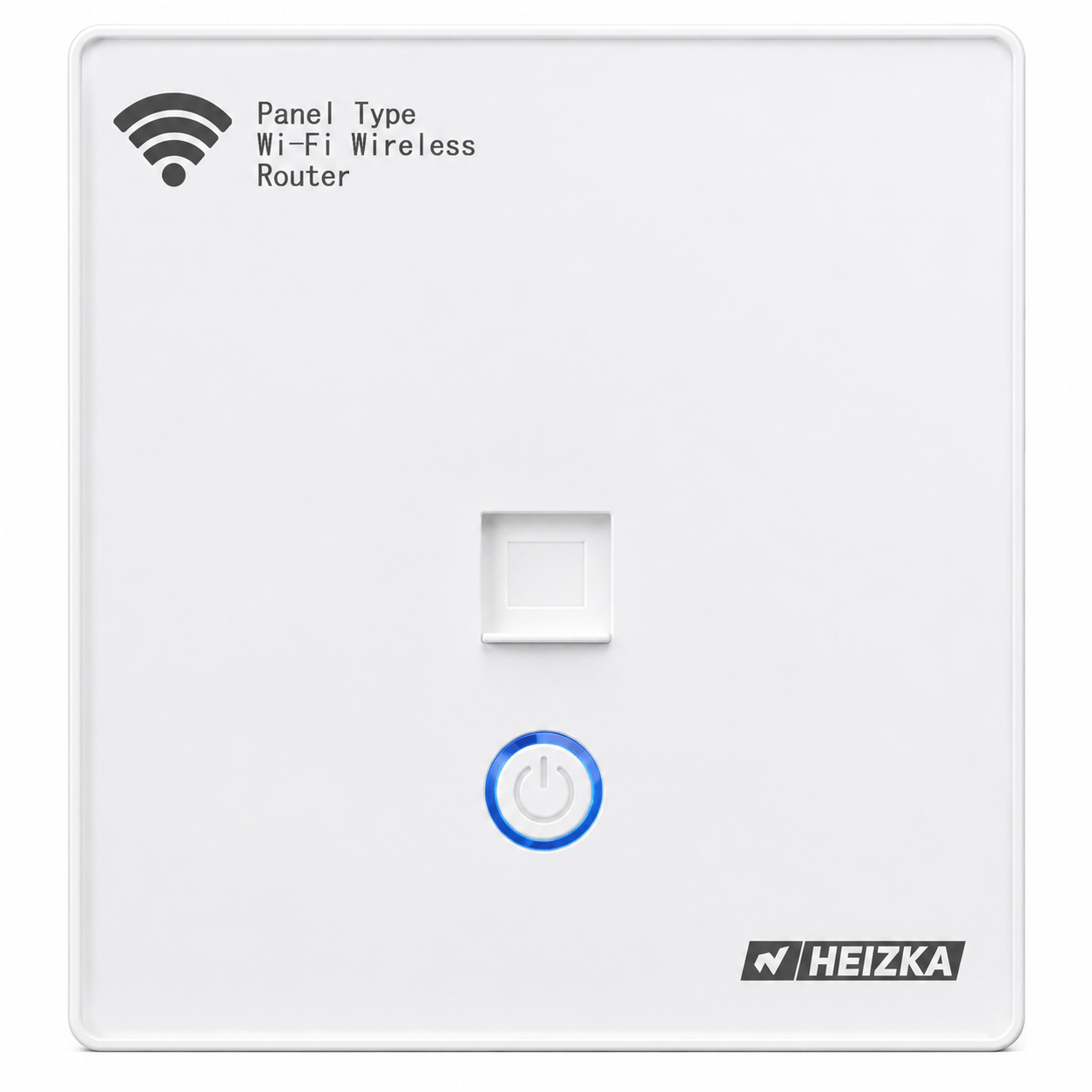
Putting the router inside a steel box in a corridor wall is a reliable way to produce poor wireless. The two usual answers are to keep the router in the box and feed separate access points, or to move the radio onto the wall surface.
Heizka offers the second approach with the HEBW-AP101 and HEBW-AP111 panel wireless routers, which mount into an 86 mm wall box aperture and operate in access point, router, repeater or bridge mode. For an interior designer this is the difference between a visible router on a shelf and a flat plate that matches the switch line.
Three things to confirm before specifying them:
- The wall box format. These are published for the 86 mm aperture, which is the common wall box format across much of Asia. It is not the standard aperture in North America or most of Europe, so confirm the box type for the project market.
- The wireless generation. The published specification is 11N at 300 Mbps. That is appropriate for control panels, guest access and IoT devices; it is not a match for a household expecting the full throughput of a gigabit service. Confirm the current specification with the technical team before writing it into a luxury residential package.
- The power method. These units are published as using a non-standard PoE supply. See the warning below.
9. What to Verify Before You Specify
Four points in the published data deserve a deliberate check rather than an assumption. None of them is a reason to avoid the range; all of them are reasons to write the specification precisely.
Non-Standard PoE Is Not IEEE PoE
The HEBX routing modules are published as providing non-standard 12 V power over the LAN ports. This is passive injection, not IEEE 802.3af, 802.3at or 802.3bt. Passive PoE applies voltage without negotiation. Connecting an IEEE powered device to a passive 12 V port, or a passive-powered device to a standard 48 V source, can damage equipment. Where the project specifies IEEE PoE cameras or access points, they must be fed from a standards-compliant source — see the security cabling guide for how those two paths differ.
Port Speed Against Service Speed
The published routing and data modules are 10/100 Mbps. Where the incoming service is gigabit or faster, the module becomes the bottleneck. The straightforward answer is to use the box as a passive enclosure and place a separate gigabit switch inside it, sized within the depth and heat budget above. Confirm current module options before assuming either way.
Certification Is Market-Specific
The fiber optic home boxes are published with 3C certification to GB 17466.1 and GB 17466.24. That is the compulsory scheme for the Chinese market. For projects in North America, Europe or elsewhere, confirm the listing or conformity route required by the authority having jurisdiction rather than treating one national mark as universal.
The ONT Is Not Yours
The operator supplies the ONT and can change it during the life of the building. Size the box for a plausible worst case rather than the unit installed on handover day, and record what is inside so the next technician does not have to guess.
10. Coordination Checklist by Project Stage
The single most effective change is moving the ELV box conversation earlier. This is what needs to be agreed, and when.
| Stage | Agree | Between |
|---|---|---|
| Concept design | That a box exists, roughly where, and that it needs wall depth | Architect, ELV engineer |
| Detailed design | Equipment list, internal depth, box position against furniture layout, wall build-up | ELV engineer, interior designer, architect |
| Tender | Exact model, panel finish, module schedule, ventilation, cable entry count | ELV engineer, interior designer |
| First fix | Opening set out and checked against the drawing, conduits terminated, box body protected | Contractor, ELV engineer |
| Second fix | Panel fitted after wet trades and painting, alignment verified against the reference line | Contractor, interior designer |
| Handover | Contents labeled, fiber slack recorded, access route documented for facilities | ELV engineer, facilities |
11. Frequently Asked Questions
What is an ELV box?
An ELV box is a recessed enclosure that gathers the incoming telecom service in a dwelling or suite and distributes it internally. It typically houses the fiber termination and slack, the operator ONT, a router or switch, and their power supply. It is also called a multimedia information box or a fiber optic home box.
How deep does an ELV box need to be?
Deep enough for the deepest single item inside, plus cable entry bends, plus cover clearance — not deep enough for the average item. The Heizka fiber optic home boxes publish a 300 × 250 × 120 mm bottom box. Check that figure against the actual equipment list and against the wall build-up before the partitions are set out.
Where should the ELV box be located?
On a wall with a short service route, reasonable wireless propagation, no planned joinery in front of it, and access without moving furniture. Aligning the frame with an existing reference line such as a door head, a tile joint or a switch plate row costs nothing and is the difference between a deliberate detail and a visible error.
Does the ELV box need ventilation?
It depends on what is inside. A passive box with a splice tray and a distribution module does not. A box holding an ONT, a router and a switch running continuously inside an insulated wall usually does, and a fan ventilation module exists in the range for that case. Size it from the summed nameplate power of the actual equipment.
Can the panel finish be chosen after the box is installed?
In the Heizka range, largely yes. The HEBX1 and HEBX2 fiber optic home box series share the same 300 × 250 × 120 mm bottom box and differ only in the visible frame, so the wall opening can be set at first fix while the face is still being decided.
Is the PoE in an ELV box the same as standard PoE?
Not necessarily. The Heizka HEBX routing modules are published as providing non-standard 12 V power over the LAN ports, which is passive injection rather than IEEE 802.3af, 802.3at or 802.3bt. Passive and IEEE PoE are not interchangeable and mixing them can damage equipment.
Will a router inside the box give good Wi-Fi?
Usually not. A steel enclosure recessed into a wall is a poor place for a radio. Either keep the router in the box and feed separate access points, or move the radio to the wall surface with a panel-mounted access point.
What should accompany a Heizka ELV box enquiry?
The equipment list with dimensions and power, the wall type and available depth, the required panel finish, the module schedule, the market the project is in, and any listing the specification requires.
12. Specify With Support
The ELV box is a small item with a long tail: get the depth, the position and the panel right and nobody ever mentions it again. Heizka can review an equipment list and a wall detail and identify suitable options for engineer and designer approval.
Send Your Equipment List and Wall Detail
Include the intended contents, the wall build-up and available depth, the required panel finish, the module schedule and the project market.
Request a quote | Request technical support | View the Heizka ELV box range
13. Sources and Technical Review Record
Technical review completed on 24 August 2026 using the sources below. Product figures are taken from Heizka first-party product pages at the review date and must be confirmed against the current controlled datasheet before quotation or project submittal. This article intentionally states the limits of the published data as well as its capabilities.
- Heizka ELV box range: Heizka ELV Box, Round and Platinum Crystal Series — First-party family reference.
- Fiber optic home box dimensions: Heizka HEBX2-08A and Heizka HEBX1-08A — First-party source for the 300 × 250 × 120 mm bottom box, frame dimensions, material and certification.
- Modules and accessories: Heizka HEBX modules and accessories — First-party source for port counts, power module, blanks and the fan ventilation module.
- Wall panel enclosures: Platinum Crystal Series and Round Series — First-party source for model codes, materials and panel options.
- Panel wireless router: Heizka HEBW-AP101 — First-party source for the 86 mm wall box format, operating modes and published wireless specification.
- Fiber bend radius: ITU-T Recommendation G.657 — Primary source for bending-loss insensitive singlemode fiber categories. Minimum bend radii quoted in section 4 are the commonly published design figures for each category and should be verified against the fiber and cable datasheets actually supplied.
- Related guidance: Security, Surveillance and Access Control Cabling Solutions — Companion guide covering IEEE PoE and how it differs from passive injection.
- Related guidance: What Is LSZH Cable and Where Should It Be Used? — Companion article on jacket material properties for cable entering the box.